 Start creating
Nano Banana 2.1 is Google's latest image model and the most popular image generator on Pixcloud: ultra-realistic photos, readable text in AI images including accented letters, and AI photo editing with up to 14 reference images. Use Nano Banana 2.1 online with nothing to install, in your browser or in the app, from 7 credits per image.
Launch Nano Banana 2.1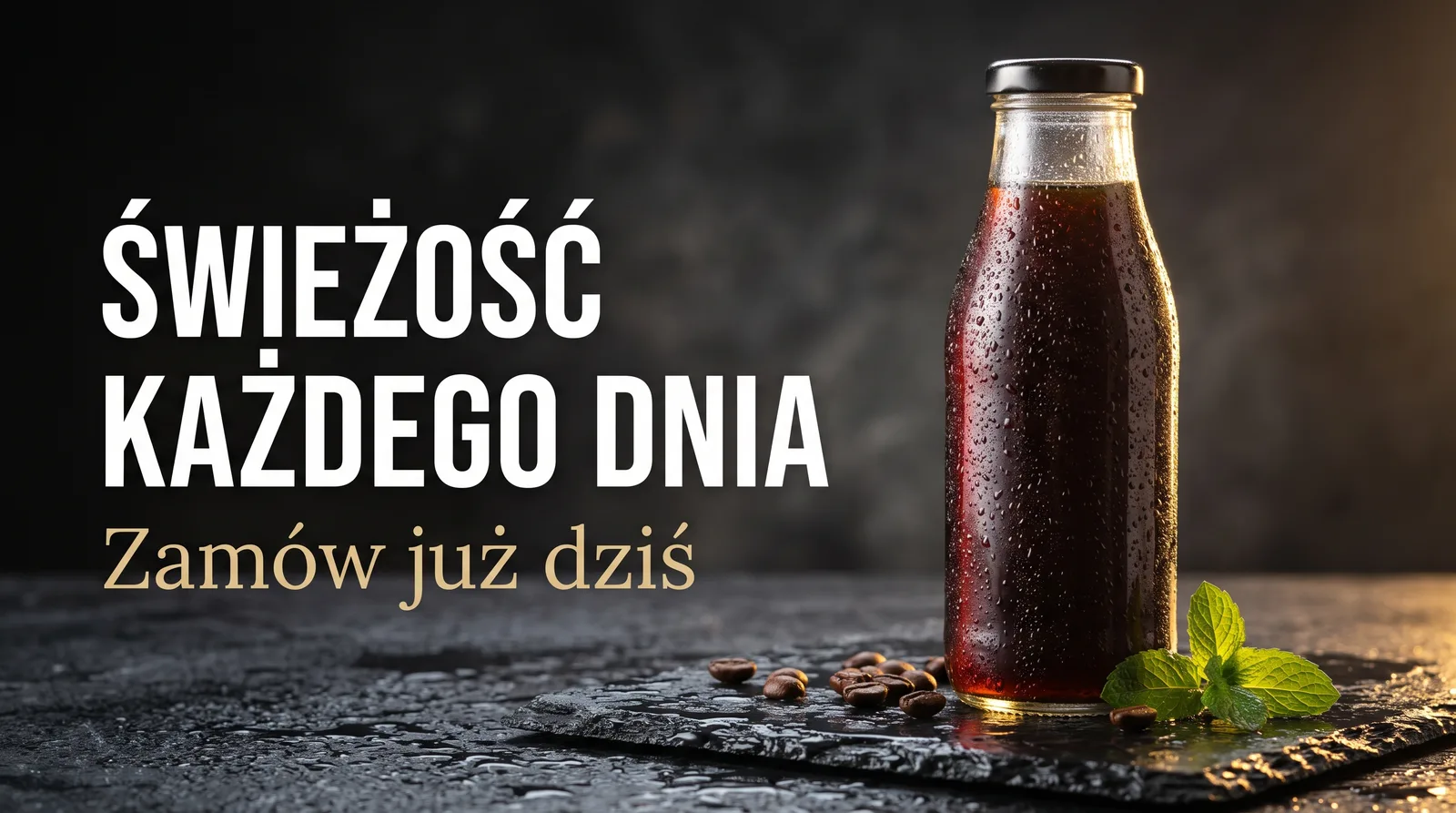
Nano Banana 2.1 is Google's update to Nano Banana 2, positioned as the main everyday model for image generation and conversational photo editing. Compared with its predecessor, Google improved realism, prompt adherence, text rendering and infographic layouts, consistency of characters and objects across successive edits, and added targeted editing of a selected part of the frame. Nano Banana 2 is now marked as deprecated, so 2.1 is the version to start any new project with.
On Pixcloud, Nano Banana 2.1 works in two modes: text-to-image generation and photo editing with up to 14 reference images in a single job. You get the result at 1K, 2K or 4K, in one of ten aspect ratios, from a 1:1 square to a 21:9 panorama. It is a Flash-class model, cheaper to run than Nano Banana Pro, which is why pricing starts at 7 credits per image. For the most complex compositions, the Pro version is still available on Pixcloud.
Pixcloud gives you Nano Banana 2.1 with nothing to install and no subscription: create an account, get a starting pool of credits for your first attempts, then pay only for the images you generate. It is the most used image model on Pixcloud, marked with the TOP badge, chosen by online shops, content creators and people who simply want to restore an old photo or make an invitation with crisp text.
Nano Banana 2.1 renders headlines, prices, cover titles and infographic labels legibly, including accented letters such as ą, ę, ł, ś, ż, which we have tested extensively on Pixcloud with Polish. Put the exact wording in quotation marks, say where it should sit, and pick 2K or 4K whenever the text is small.
Portraits with natural skin, products with believable reflections, interiors and outdoor scenes with convincing light. Google lists realism among the main improvements of 2.1 over Nano Banana 2, and this is why the model became the most popular one on Pixcloud: the results are good enough for a shop, a website or an ad.
Three resolutions: 1K for quick drafts, 2K for social media and text, 4K for print and e-commerce. Ten aspect ratios: 1:1, 16:9, 9:16, 4:3, 3:4, 5:4, 4:5, 3:2, 2:3 and 21:9, so the same idea fits Instagram, YouTube, a website banner and a poster without cropping.
Upload your own photo and describe the change: swap the background, remove a passer-by, add a person, change the outfit or the lighting. Version 2.1 keeps the rest of the frame untouched better than its predecessor and lets you refine a selected area, with further tweaks in the next steps.
Up to 14 reference images in a single job: the model keeps the likeness of up to 4 characters and the look of up to 10 objects. Merge several photos into one, show the same product in five scenes or the same mascot across a whole series of posts, with consistent characters on every image.
The model knows real places, objects and contexts, and Google connected it to Google Search to cut down on made-up details in real-world topics. That helps with real locations, specific equipment and infographics that are supposed to show things that exist rather than invented ones.
Nano Banana 2.1 is a Flash-class model built for fast, everyday generation, and Google lowered its running cost compared with Nano Banana 2. That is why it starts at 7 credits per image on Pixcloud, less than Nano Banana Pro, with quality that is more than enough for most daily tasks. Credits are bought without a subscription and used whenever you like.
| Feature | Typical image generator | Nano Banana 2.1 |
|---|---|---|
| Text in images | Scrambled letters, missing accents | Correct accented letters, readable headlines and prices |
| Photo realism | Plastic skin, odd hands | Natural skin, light and reflections |
| Editing your own photos | The whole frame gets regenerated | Targeted change of one area, the rest untouched |
| Reference images | One input image or none | Up to 14 images, 4 characters and 10 objects |
| Resolution and aspect ratios | One size, a few ratios | 1K, 2K, 4K and ten ratios up to 21:9 |
| Billing | Subscription with a monthly cap | From 7 credits per image, no subscription |
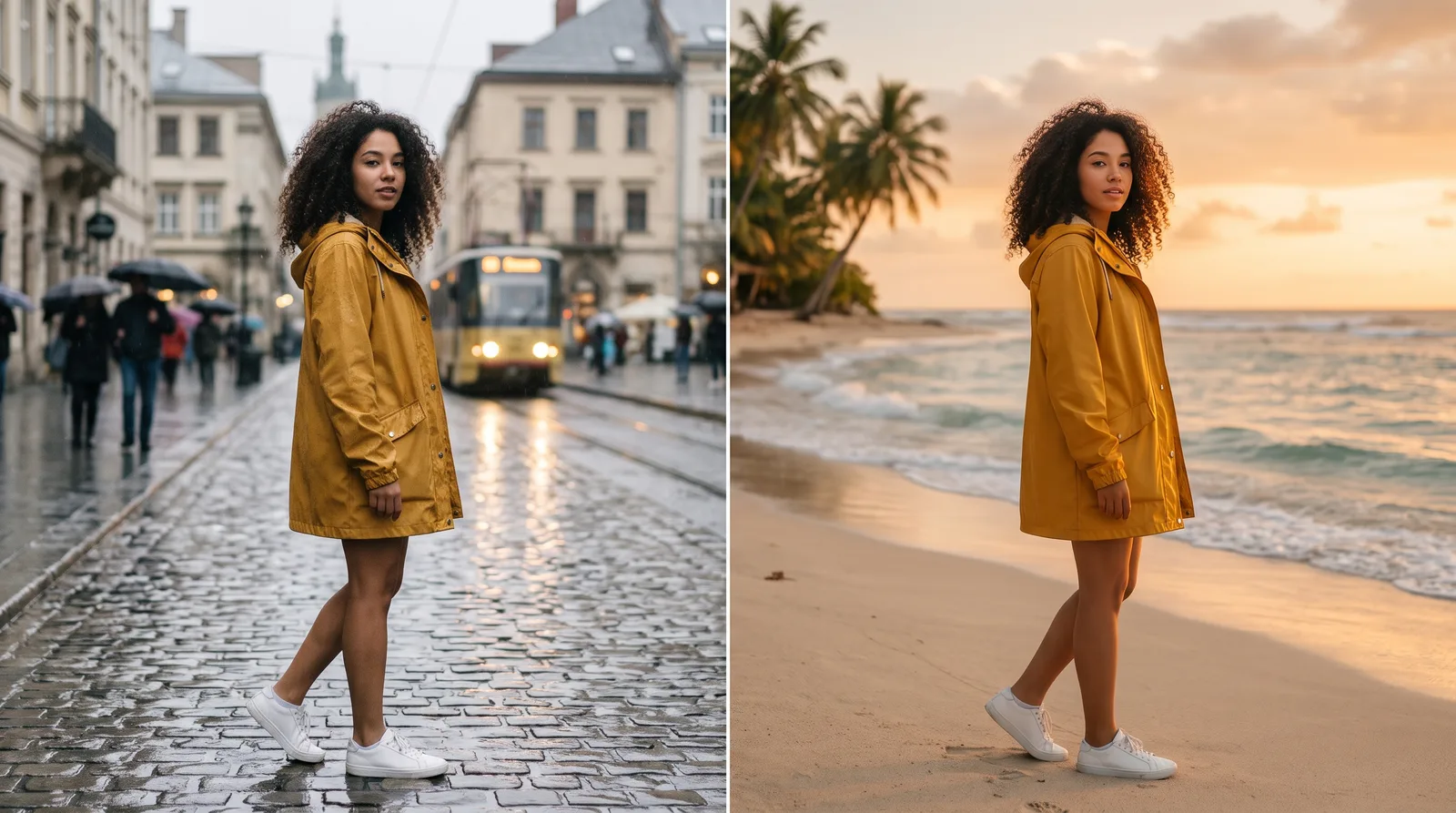
This is what an AI background swap looks like: the same person, pose and outfit, a different background and light. A prompt along the lines of: change the background to a beach at sunset, keep everything else as it is.
Sign up on Pixcloud with your email or a Google account, with nothing to install. A new account gets a starting pool of free credits for your first attempts, so you can test Nano Banana 2.1 before buying anything. After that you top up credits whenever you need them, with no subscription and no monthly cap.
Open image creation and choose Nano Banana 2.1 from the model list (it carries the TOP badge). Set the aspect ratio and resolution: 1K for drafts, 2K or 4K whenever there is text in the frame. Type your prompt, for example: concert poster, stage in smoke, a large headline "Play with us" at the top, the date at the bottom. To edit a photo, upload it as a reference (up to 14 files) and describe one change at a time. Click Generate; an image costs from 7 credits.
Nano Banana 2.1 succeeds Nano Banana 2: Google improved photo realism, text rendering and infographic layouts, prompt adherence and character consistency across successive edits, and added targeted editing of a selected area. Resolutions are 1K, 2K and 4K, and Nano Banana 2 is marked as deprecated. Nano Banana Pro remains the premium model for the most complex compositions. On Pixcloud, 2.1 is the most popular model in this line and costs less than Pro (from 7 credits), so start with it for everyday work and keep Pro for the hardest frames.
Yes. In our experience on Pixcloud, short and medium-length text such as a poster headline, a price on a banner, a cover title or a meme caption comes out correctly, including accented letters, which we have tested most thoroughly with Polish. Put the exact wording in quotation marks and say where it should go. Two limitations worth knowing: small text at 1K can blur, and long paragraphs come out worse. For dense infographics choose 2K or 4K, check the result letter by letter, and add very long blocks of text in a graphics editor.
Yes. A new Pixcloud account is a free starter account with a pool of credits for your first generations, with nothing to install and no subscription. Nano Banana 2.1 works in the browser and in the Pixcloud mobile app on the same account. Once the pool is used up, you top up credits whenever you need them: one image costs from 7 credits, and the same credits work across every image, video and music model on Pixcloud.
Upload the photo (or up to 14 photos if you want to merge them or provide a reference for a product and a character) and describe one change at a time, for example: change the background to a beach at sunset, keep the person, pose and outfit unchanged. Removing and adding objects, changing clothes or lighting, and restoring or colourising old photos work the same way. Make further tweaks in the next steps, composition and text separately. The model sometimes carries out only part of a complex instruction or slightly changes a face, so use sharp references and generate a second variant if the first one misses. Edit realistic photos of people only on your own photos or with the consent of the person pictured.
1K is enough for quick drafts, posts and thumbnails; choose 2K when there is text in the frame or the image goes to small-format print; 4K for posters, product photos for a shop and large-format print. Pricing starts at 7 credits per image and rises with resolution; you see the exact rate for 2K and 4K on Pixcloud when you pick the resolution, before you click Generate. Google adds an invisible SynthID watermark to every image, which does not affect how the file looks.
Credits instead of a subscription: Nano Banana 2.1 from 7 credits per image, with no monthly cap. You pay only for what you actually generate.
Nano Banana 2.1, Nano Banana Pro and other image, video and music models on a single account, in the browser and in the mobile app.
Technical support and guides. Whether you are refining a prompt or setting up a workflow for a shop, we are here.